
Applies to: All Reolink cameras except battery-powered ones, B800, D800, B400, D400, and Reolink E1, Reolink Lumus
iSpy can be used for live viewing and recording of Reolink cameras. You may follow the steps below to add Reolink cameras to iSpy.
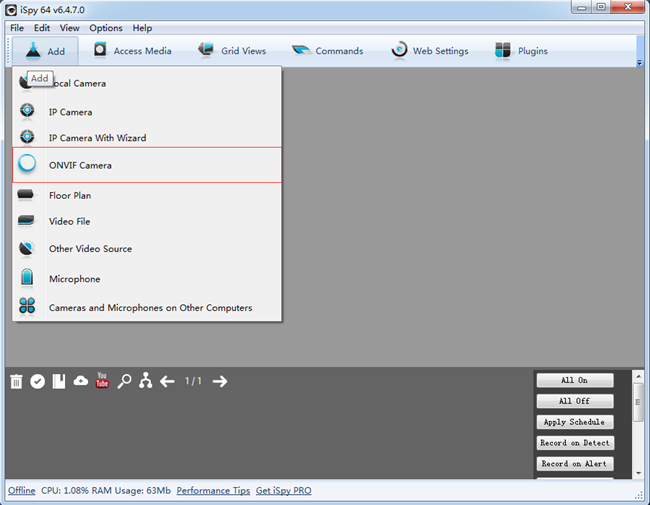
Step 1. Launch iSpy, go to Add -> ONVIF Camera.
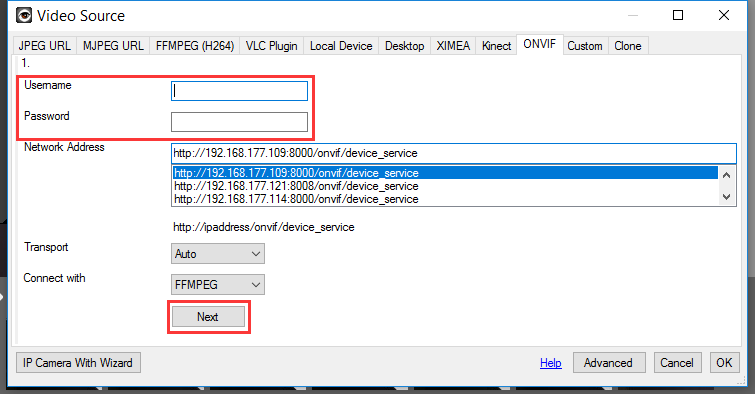
Step 2. Select the Network Address of the camera, and then fill in its Username and Password and click Next.
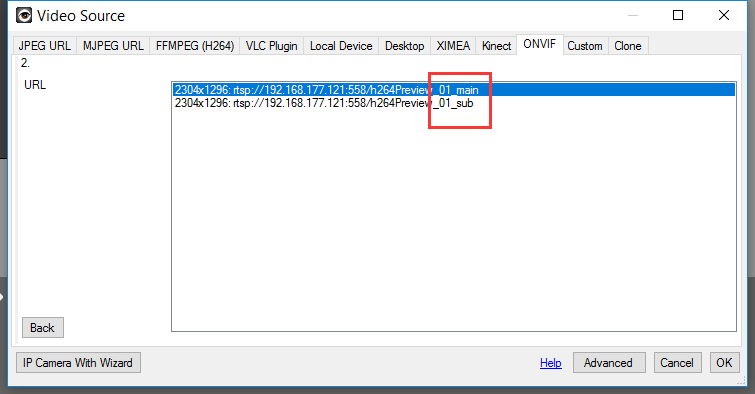
Step 3. Select main/sub stream URL of the camera then click OK.
Step 4. Click Finish and live view the camera on iSpy.
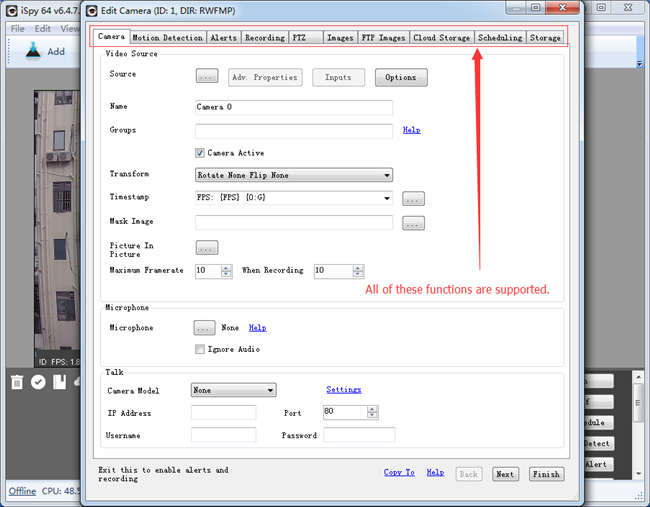
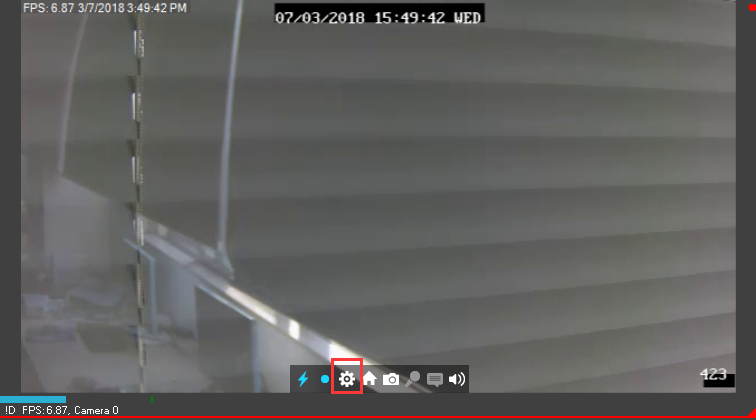
Note: For Reolink cameras that support PTZ (Pan/Tilt/Zoom), you may go to the control panel to operate the camera. (Patrol is not supported).
